
How to Login at JDMANAGEMENT: A Step-by-Step Guide
C
2 min read

Leave Comment/ By C /Jan 17, 2025
Why Logging In Matters
Your JDMANAGEMENT account is your gateway to cutting-edge casino management tools and resources. By logging in, you can:
Access real-time analytics and insights.
Manage your casino operations from anywhere.
Explore exclusive promotions and updates.
Connect with our support team for personalized assistance.
Step-by-Step Login Process
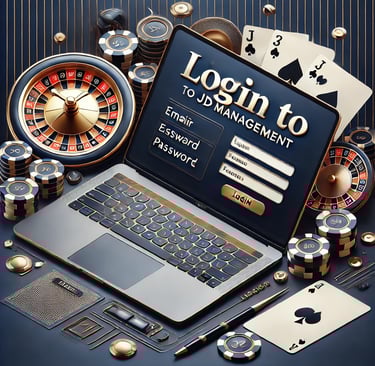
1. Visit the Login Page
Navigate to JDMANAGEMENT.
Click the Login button at the top right corner of the homepage.
2. Enter Your Credentials
Input your registered email address in the email field.
Enter your password in the password field. Ensure it's accurate and secure.
3. Complete the Verification Process (If Applicable)
If two-factor authentication (2FA) is enabled, you’ll receive a verification code via email or SMS.
Enter the code to verify your identity and proceed.
4. Access Your Dashboard
Once logged in, you’ll be redirected to your personalized dashboard.
From here, you can explore features, monitor performance, and manage operations.
Tips for a Smooth Login Experience
Keep Your Credentials Safe
Use a secure password that includes letters, numbers, and symbols.
Avoid sharing your login details with anyone.
Enable Two-Factor Authentication (2FA)
Add an extra layer of security by activating 2FA in your account settings.
Use a Secure Network
Always log in from a trusted device and secure internet connection.
Save Time with Auto-Fill
Use a password manager to securely store and auto-fill your login credentials.
Forgot Your Password?
If you’ve forgotten your password, don’t worry! Reset it with these easy steps:
Click the Forgot Password link on the login page.
Enter your registered email address to receive a password reset link.
Follow the instructions in the email to create a new password.
Log in with your new password.
Troubleshooting Common Login Issues
Incorrect Password: Double-check your password and try again. Use the reset option if needed.
Account Locked: Too many failed attempts can lock your account temporarily. Contact support to regain access.
Technical Errors: Clear your browser cache or try logging in on another device.
Need Help?
Our support team is here to assist you with any login-related issues. Contact us via:
Live Chat: Available on the website for real-time assistance.
Email Support: Reach out for detailed inquiries.
Why Choose JDMANAGEMENT?
At JDMANAGEMENT, we prioritize your convenience and security. Our login system is designed to provide seamless access while keeping your information safe.
Log in today and experience the full power of JDMANAGEMENT. From managing operations to exploring innovations, it’s all just a click away!
Get in touch
Let's Talk
info@jdmanagement.com.ph